Tutorials: how each tool works
Read what every Invoice & Debt tool does before you join. These 13 short tutorials walk through each job step by step. Members can press Show me in the app to see each step highlighted on the real screens.
Start here Invoice & Estimate Debt Payoff & Budgeting Start here
🚀 Start here · 1 min · 5 steps
Get started in 60 seconds A quick lap around all the apps so you know where everything lives.
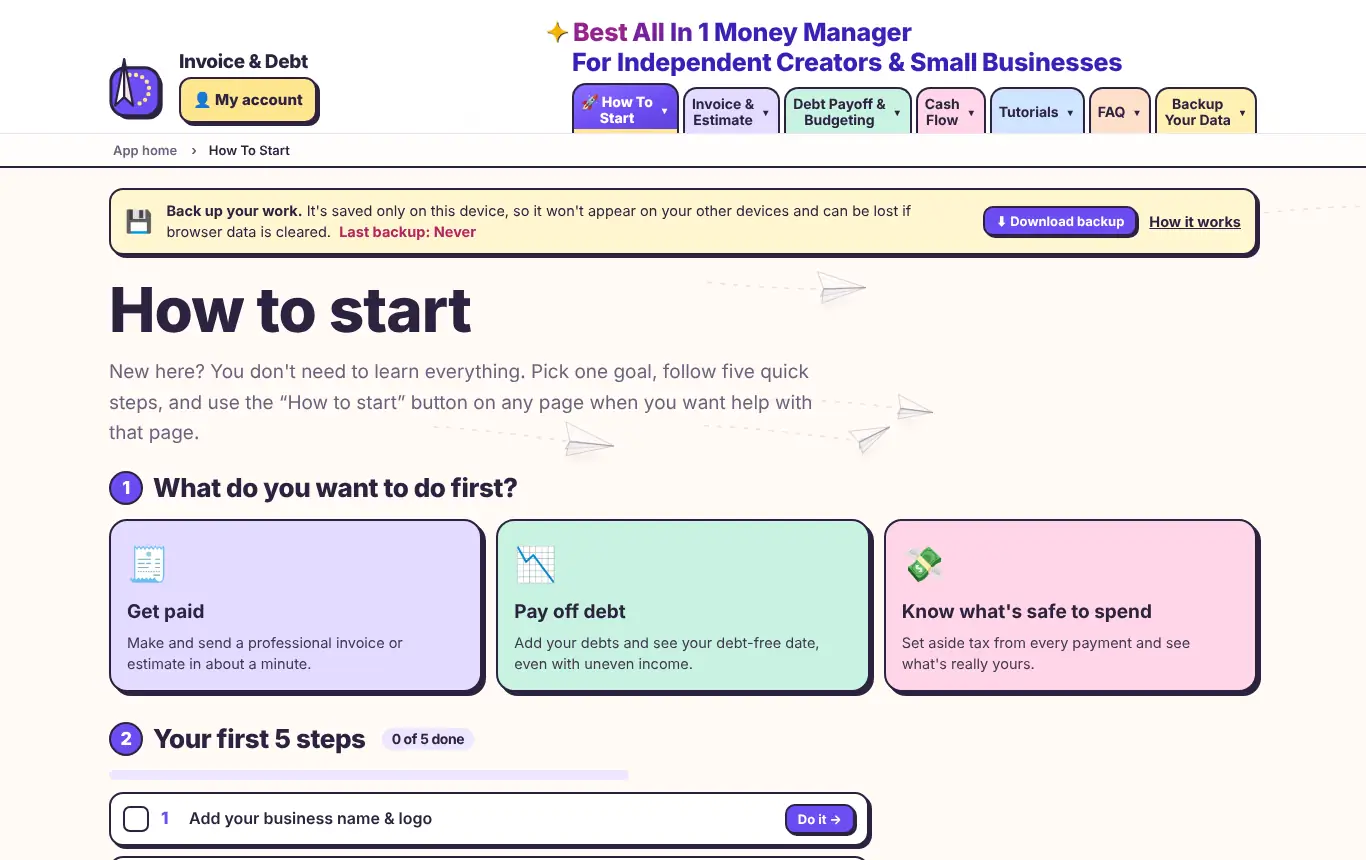
One price, everything. All apps and every feature are included for $5 a month.Invoice & Estimate. Create invoices, estimates and receipts, track clients, time and expenses, and see reports.Debt Payoff & Budgeting. Build your debt payoff plan on the left tabs and your budget on the right tabs.Make it yours. Add your logo, colours, template, language and currency here. Every document updates.Come back anytime. Each tutorial walks you through one job, step by step, on the real screens.Show me in the app → Members: we highlight each step on the real screens.
Invoice & Estimate
🧾 Invoice & Estimate · 2 min · 6 steps
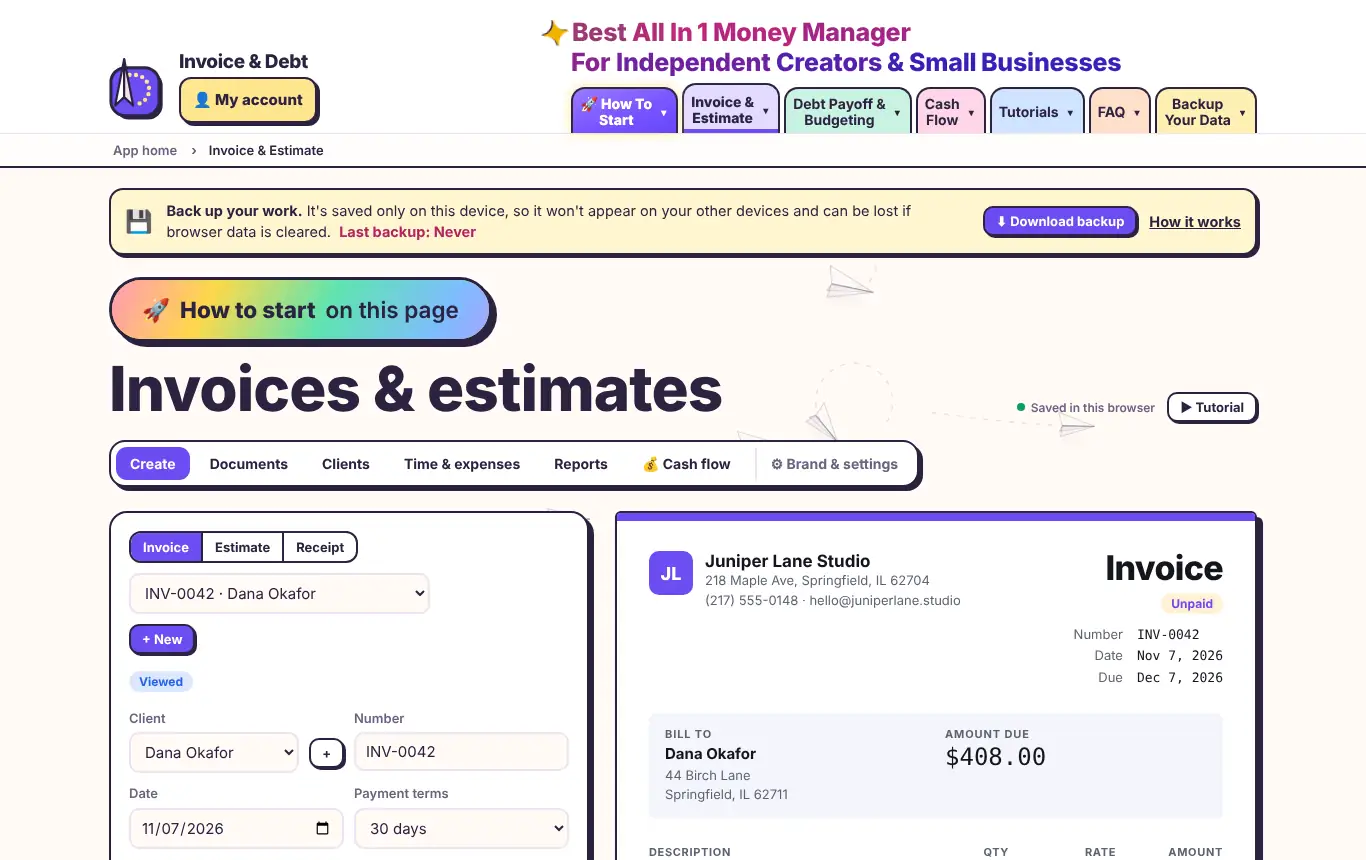
Make your first invoice Pick a client, add line items and watch the invoice build.
Choose the document. Pick Invoice, Estimate or Receipt. You can switch at any time.Pick a client. Choose who you're billing, or tap + to add a new client.Start from a template. Trades like plumbing and cleaning, plus creator work like sponsored videos, design and coaching. Load one, then adjust the prices.Add your line items. Type a description, quantity, unit (hours, days, each) and rate. Totals update live.Need more lines?. Add as many as you like. Use + Change order for extra work after approval.Your invoice, live. This is exactly what your client sees and what prints.Show me in the app → Members: we highlight each step on the real screens.
💳 Invoice & Estimate · 2 min · 5 steps
Send it and get paid Email or text your invoice, record payments and let reminders chase late payers.
Send by email or text. Your client gets the invoice with a secure pay link. Text it straight to their phone.See what they see. The client view shows their documents, balance and a Pay button. Show it on your screen so they can review and sign.Record a payment. Card, bank transfer, check or cash. Part payments are fine; the balance updates.Reminders do the chasing. Overdue invoices line up here with any late fee. Send them all in one click.Add your payment link. Paste your Stripe, PayPal, Square or Venmo link. It becomes a QR code on every invoice.Show me in the app → Members: we highlight each step on the real screens.
✍️ Invoice & Estimate · 2 min · 5 steps
Estimates, signatures & deposits Win the job, get it signed, collect a deposit and bill in stages.
Open an estimate. Same editor, now labelled as an estimate with a signature line.Ask for a deposit. Enter a percentage. The deposit shows on the estimate as 'due to start'.Get it signed. Your client signs with a finger or mouse. The estimate is marked approved.Turn it into an invoice. One click copies everything into a new invoice.Or bill in stages. Progress billing invoices a percentage of the estimate at a time.Show me in the app → Members: we highlight each step on the real screens.
⏱️ Invoice & Estimate · 2 min · 3 steps
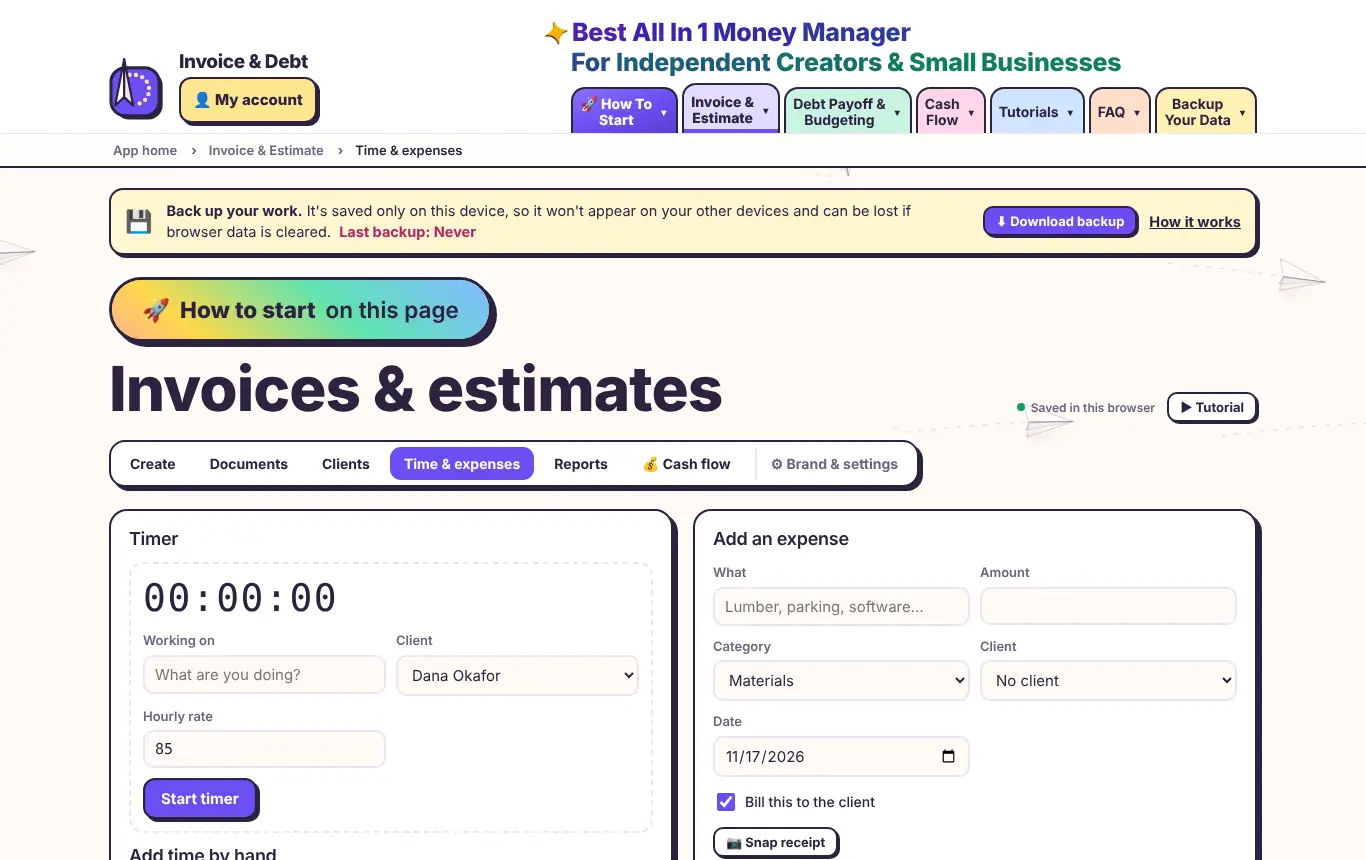
Track time & expenses Run a timer, snap receipts and bill everything in one go.
Start the timer. Say what you're working on and for whom. Stop it when you're done; the time is saved.Add expenses. Enter the amount, snap a photo of the receipt and choose whether to bill it.Bill it all. Turns every unbilled hour and expense into draft invoices, one per client.Show me in the app → Members: we highlight each step on the real screens.
🎨 Invoice & Estimate · 1 min · 5 steps
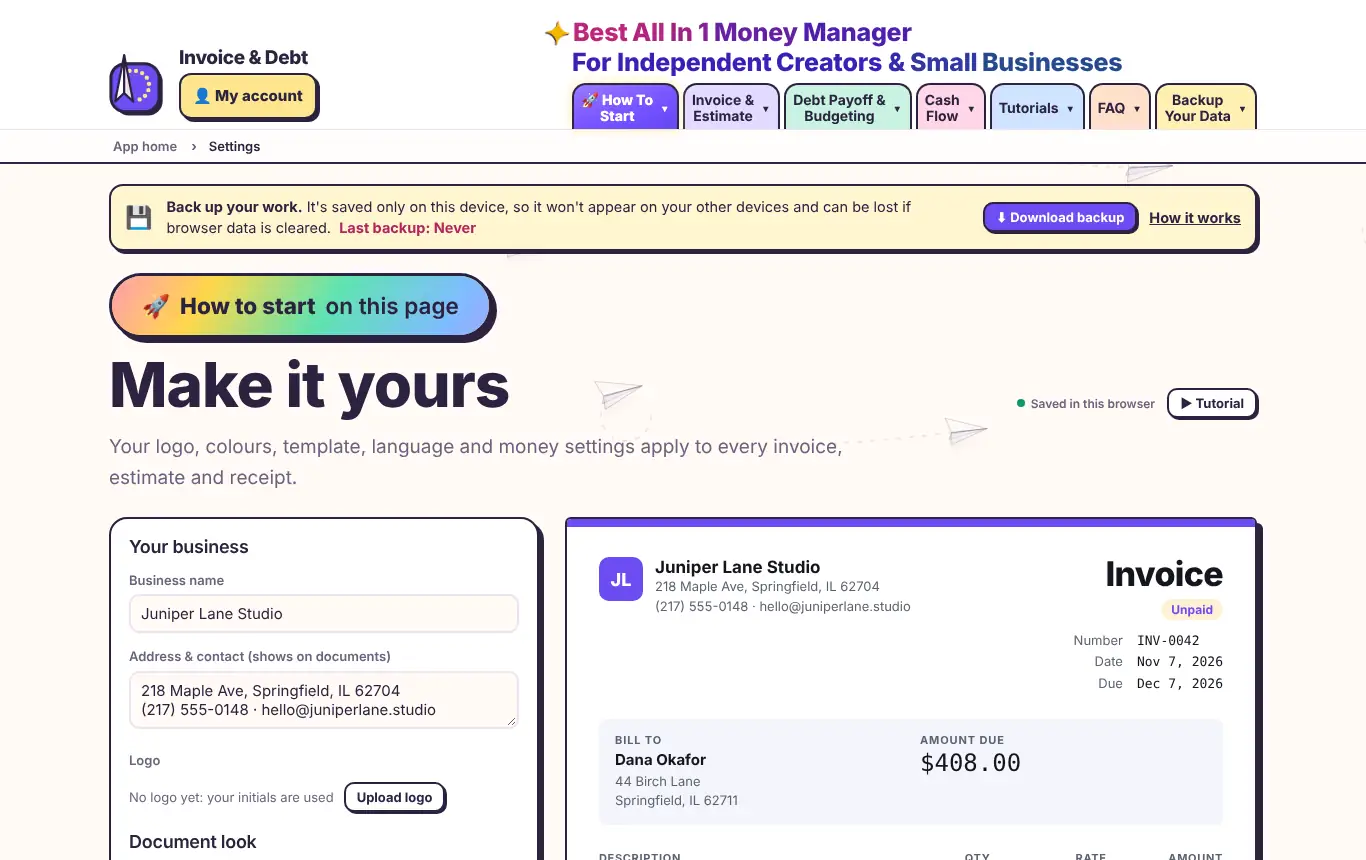
Brand your documents Logo, colours, template, font, language and currency.
Upload your logo. PNG or JPG. It appears on every invoice, estimate and receipt.Pick a template. Six looks, from Modern to Compact receipt.Choose your colours. Your brand colour runs through the header, totals and accents.Language & currency. Documents in 5 languages and 15 currencies, with local date formats.Live preview. Every change shows here instantly.Show me in the app → Members: we highlight each step on the real screens.
💰 Invoice & Estimate · 2 min · 5 steps
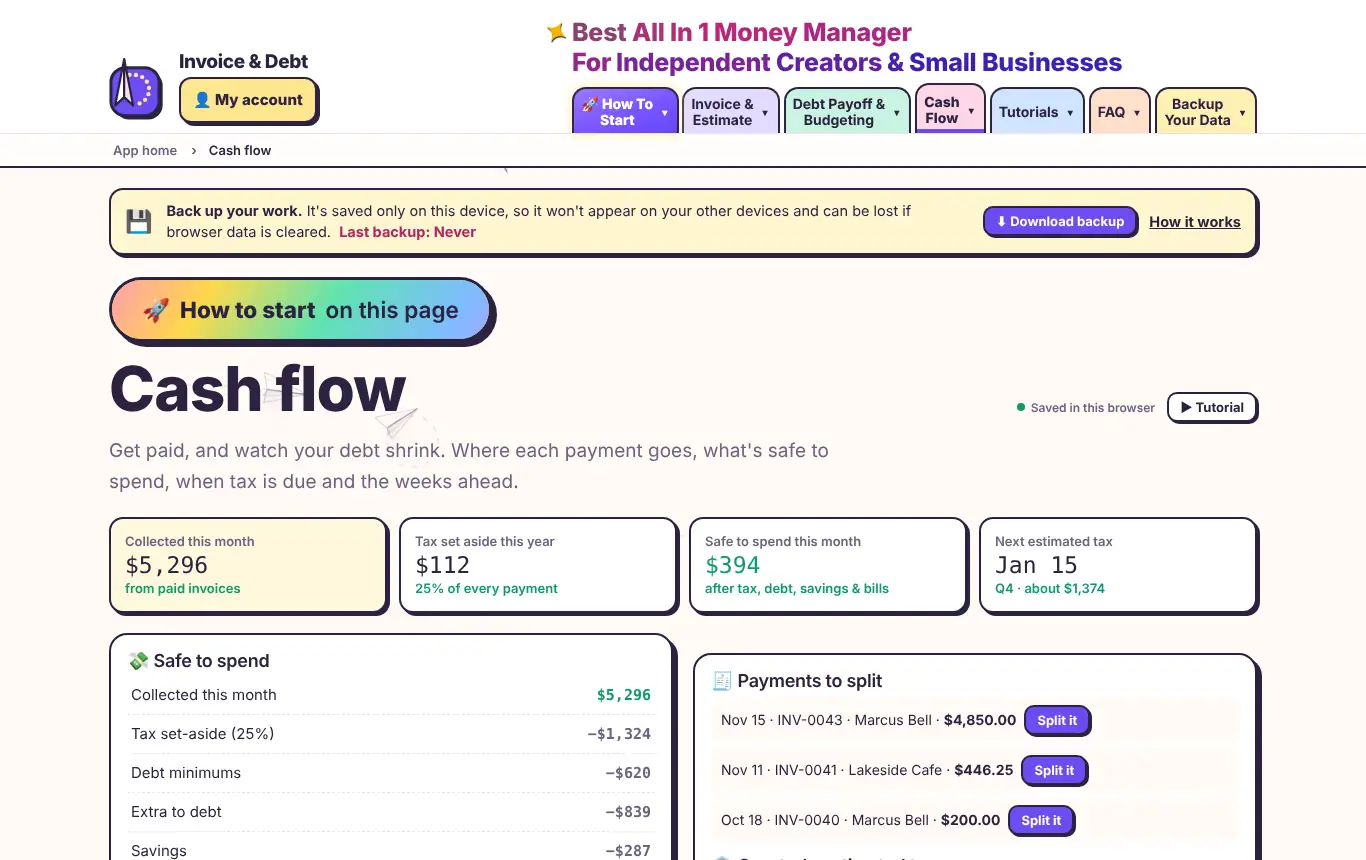
Get paid, watch debt shrink Split each payment, set aside tax, see what's safe to spend and spot tight weeks early.
Split each payment. When an invoice is paid, choose how much goes to tax, debt and savings. You'll see how much sooner you'll be debt-free.Safe to spend. What's really yours after tax, debt, savings and bills.Tax set-aside. Pick a percentage to put aside from every payment. Quarterly due dates are listed with reminders.Cash-flow calendar. Expected payments next to bills and debt due dates, so you see a tight week coming.Year-end summary. Income by client, tax set aside and debt paid off, as a PDF for your accountant.Show me in the app → Members: we highlight each step on the real screens.
Debt Payoff & Budgeting
📉 Debt Payoff & Budgeting · 2 min · 6 steps
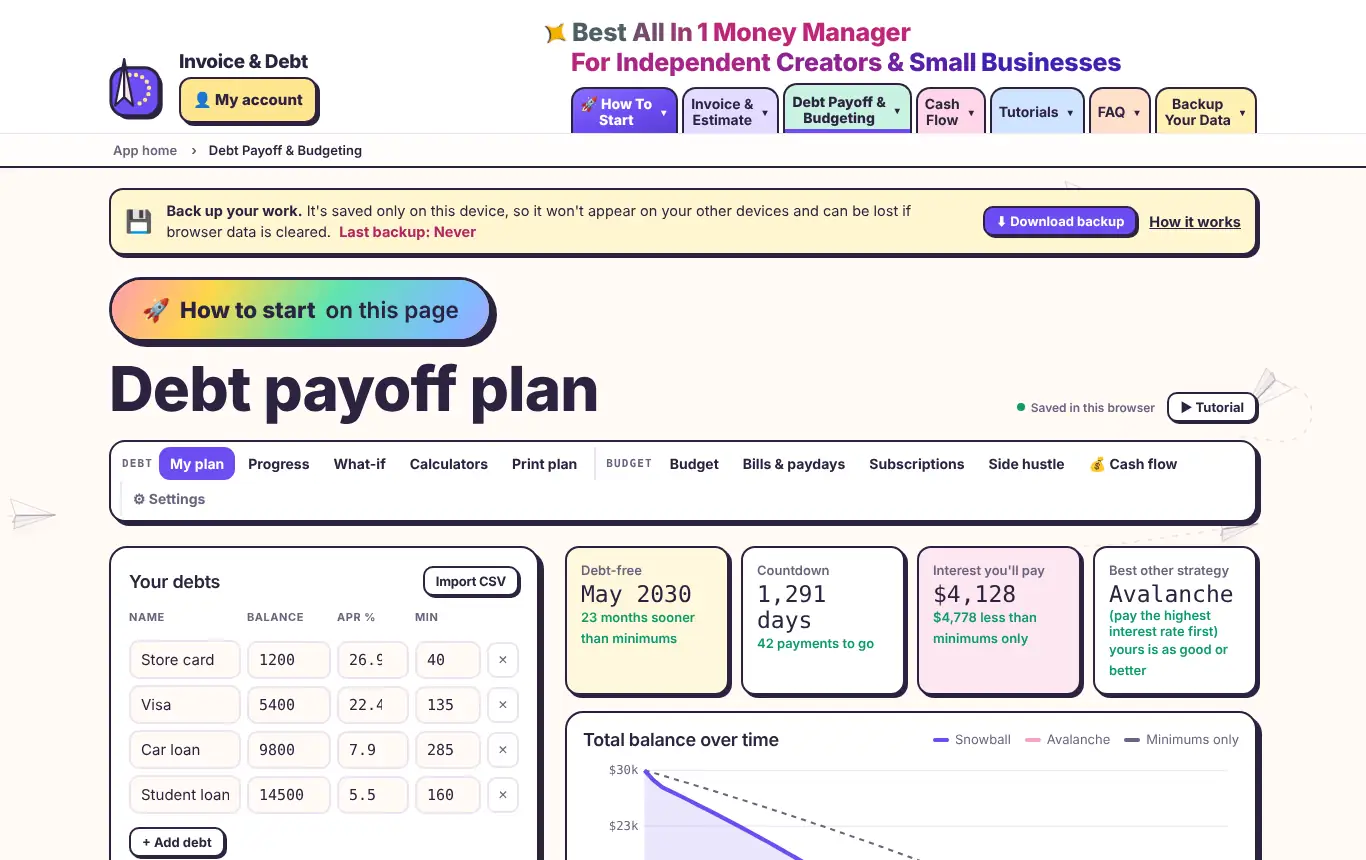
Build your debt payoff plan Enter your debts, choose a strategy and see your debt-free date.
List your debts. Name, balance, interest rate (APR) and minimum payment for each one.Add an extra payment. Even $25 a month extra makes a big difference.Income goes up and down?. Turn on the flexible plan: slow months pay minimums, good months send extra, and your date updates.Pick a strategy. Snowball pays the smallest balance first; avalanche pays the highest interest first.Your debt-free date. Plus the countdown, total interest and whether another strategy would save more.Your payoff order. Which debt to attack first, and the month each one is gone.Show me in the app → Members: we highlight each step on the real screens.
🌡️ Debt Payoff & Budgeting · 2 min · 4 steps
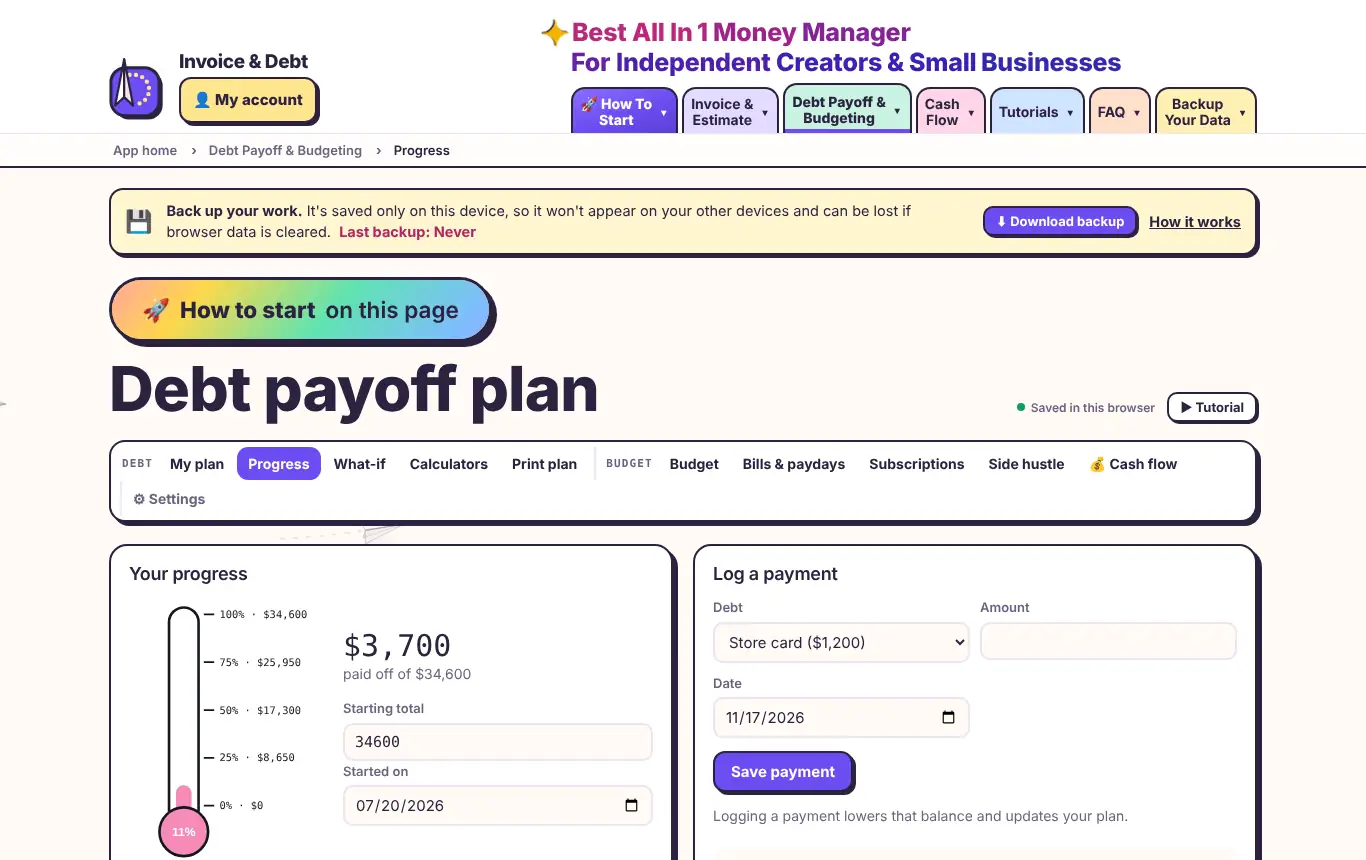
Log payments & snowflakes Track progress, add one-off payments and celebrate milestones.
Watch the thermometer. Your progress from your starting total. Milestone badges unlock as you go.Log a payment. Pick the debt and amount. Balances and your plan update.Add a snowflake. Tax refund? Bonus? Add it with a date and see what it saves.Print it for the fridge. A thermometer to colour in and a month-by-month checklist.Show me in the app → Members: we highlight each step on the real screens.
🔀 Debt Payoff & Budgeting · 2 min · 3 steps
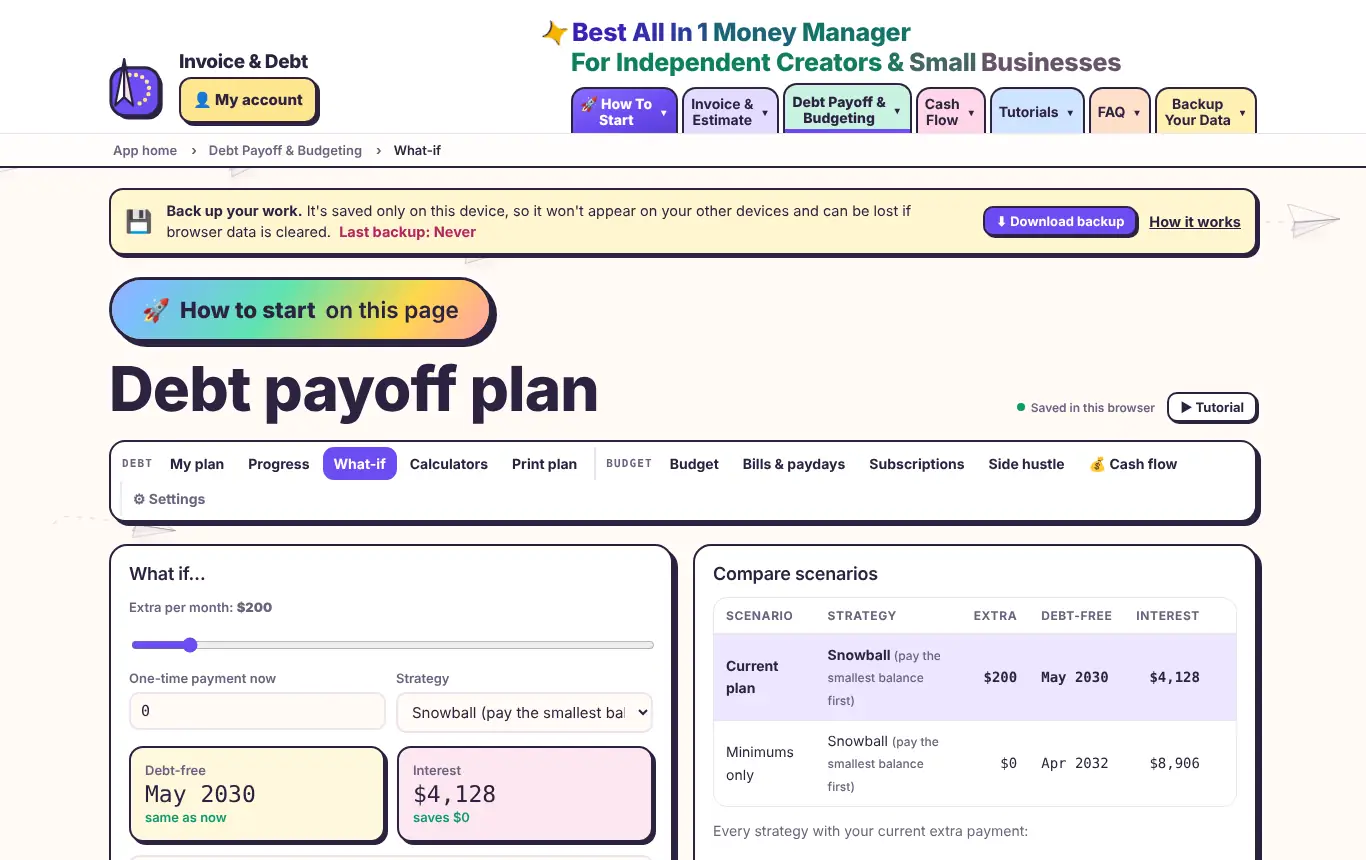
What-if scenarios & calculators Test bigger payments, compare strategies and check consolidation.
Slide to see the difference. Drag the extra payment and watch your debt-free date move.Save scenarios. Name them and compare side by side.Should you consolidate?. Compare one new loan against your current plan. Balance transfers are next door.Show me in the app → Members: we highlight each step on the real screens.
🎯 Debt Payoff & Budgeting · 2 min · 4 steps
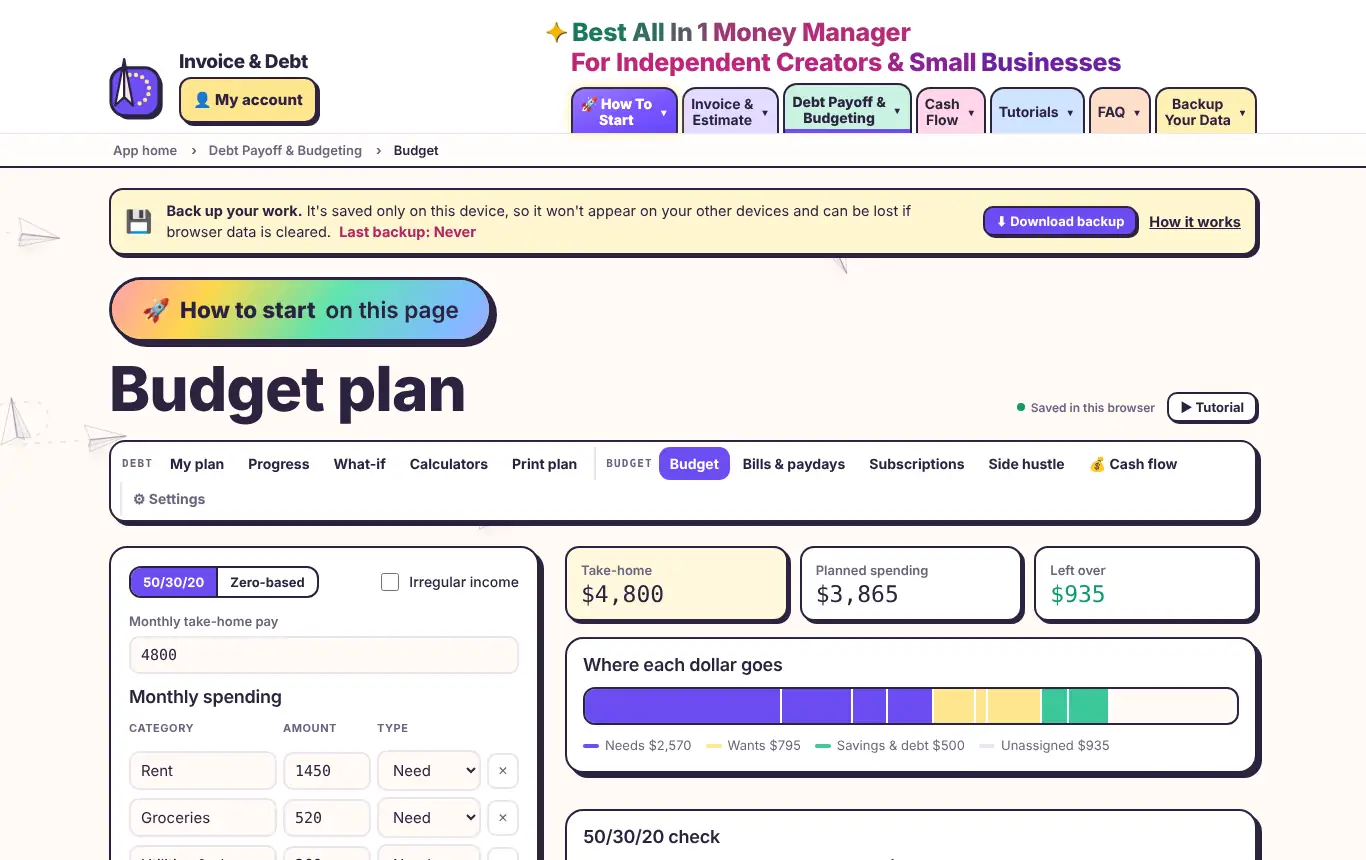
Set up your budget 50/30/20 or zero-based, with irregular income support.
Choose your style. 50/30/20 checks your needs, wants and savings. Zero-based gives every dollar a job.Pay goes up and down?. Turn on irregular income and plan on your lowest month.See where it goes. Every category in one bar, coloured by need, want or savings.Send leftovers to debt. Any money left over can go straight into your debt plan.Show me in the app → Members: we highlight each step on the real screens.
📅 Debt Payoff & Budgeting · 1 min · 3 steps
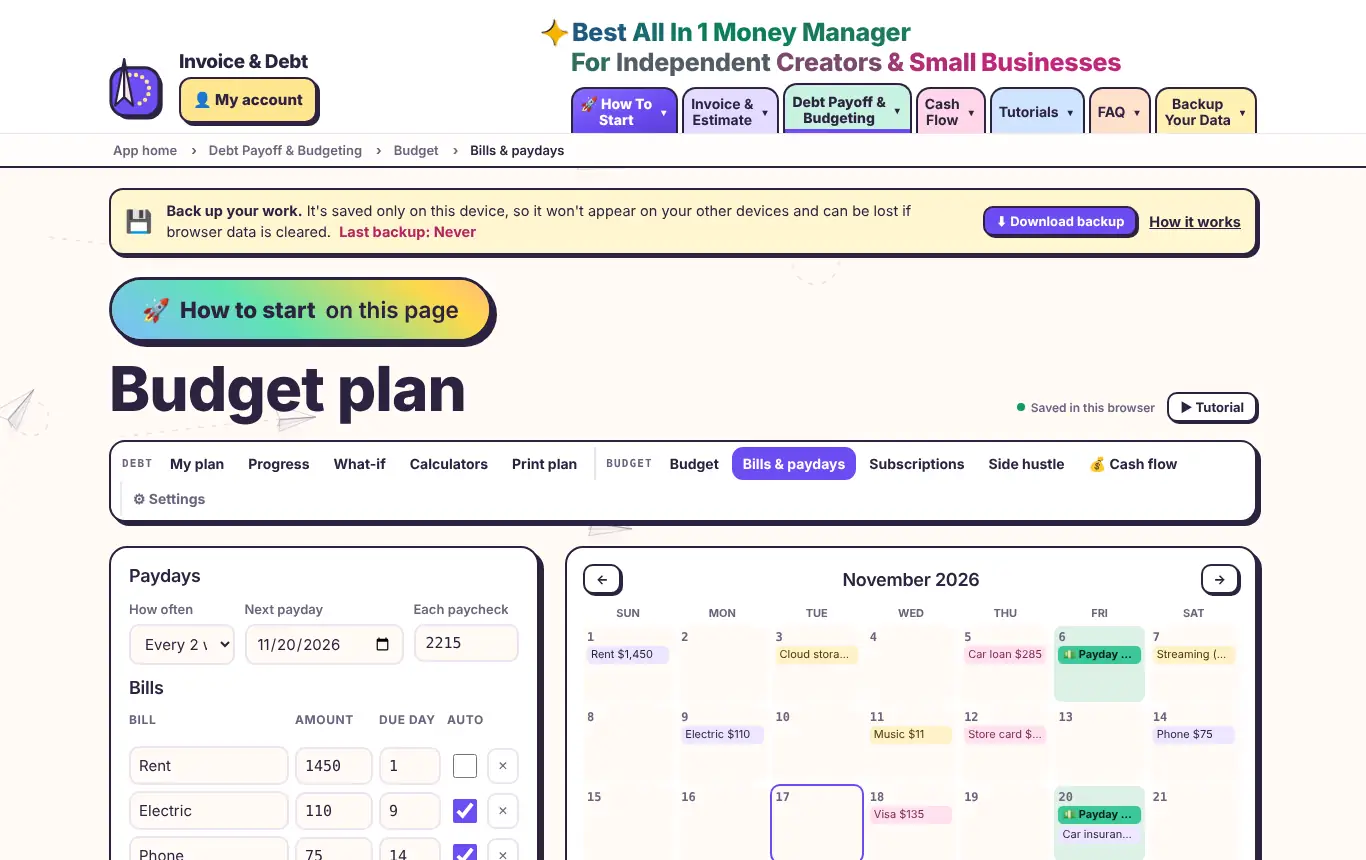
Bills calendar & payday planner Know which paycheck covers which bill.
Set your paydays. Weekly, every two weeks, twice a month or monthly.Your month at a glance. Paydays, bills, debt payments and subscriptions on one calendar.Payday planner. Each paycheck, the bills it needs to cover, and what's left.Show me in the app → Members: we highlight each step on the real screens.
📺 Debt Payoff & Budgeting · 1 min · 3 steps
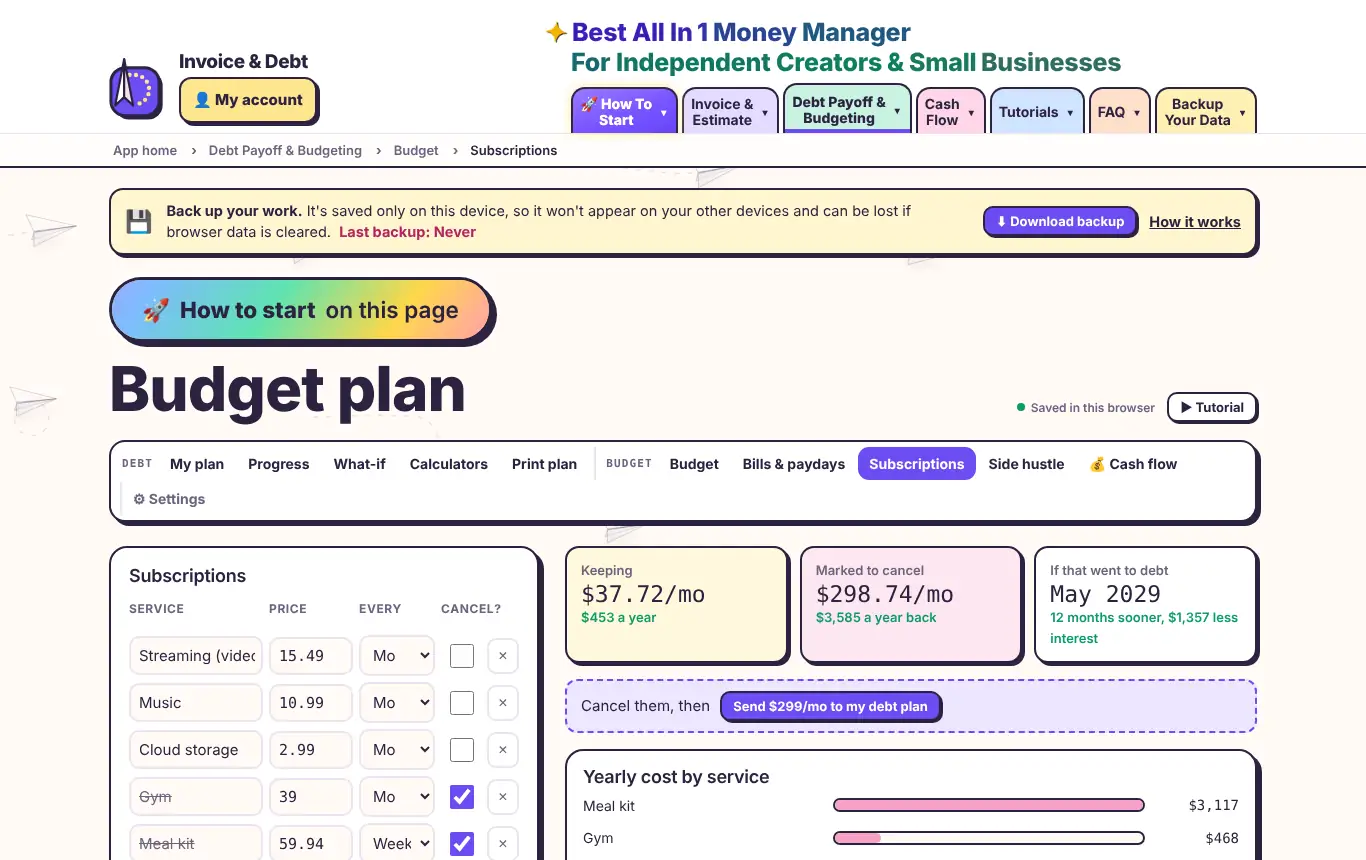
Cut subscriptions, pay debt faster Find forgotten subscriptions and see what cancelling saves.
List your subscriptions. Weekly, monthly or yearly. Totals convert to monthly and yearly.Tick to cancel. See how much it frees up and how much sooner you'd be debt-free.Bonus: side hustles. Plan extra gigs and see them shorten your plan.Show me in the app → Members: we highlight each step on the real screens.
Join for $5 / month → $5 a month for all apps · Cancel anytime